
Clean messy exports locally
Trim spaces, normalize values, split columns, convert dates, remove blanks, and prepare files without uploading business data.
Power Tools for CSV & Excel.
Open messy exports, preview every change, run 27 local Power Tools, undo safely, and let AI agents help through a secure local MCP server.
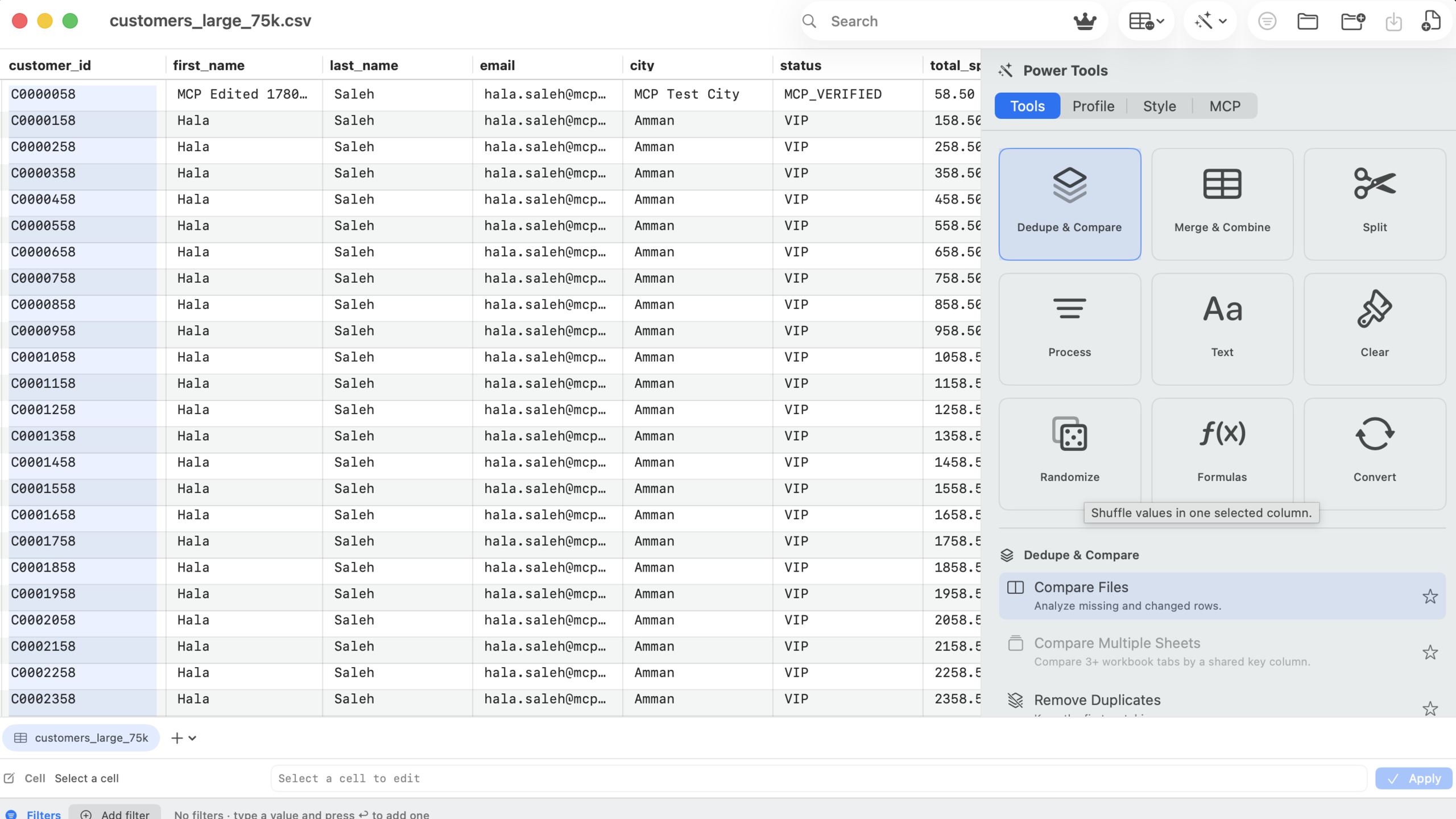
CSV Power Editor turns repeat spreadsheet tasks into guided, preview-first actions instead of formula chains, helper columns, and copy/paste steps.
The app is built for the loop that matters: understand the file, clean it, verify the result, export, and move on.
Trim spaces, normalize values, split columns, convert dates, remove blanks, and prepare files without uploading business data.
Power Tools show affected rows and change counts first, then let you apply in place, to a new sheet, or to a new workbook.
Generate spreadsheet-friendly compare workbooks with summaries, source rows, changed columns, keys, and audit notes.
Build multi-column filters with live counts, visible chips, quick search, sort order, and export-only-visible workflows.
Move fast with a per-workbook undo stack for edits, row and column changes, sheet actions, and Power Tool results.
Let AI agents inspect, filter, edit, dedupe, trim, export, and save the open workbook while the app remains visible.
A closer look at the real Mac app surfaces behind the workflow: the workbook grid, Power Tools inspector, and filter/edit rail.
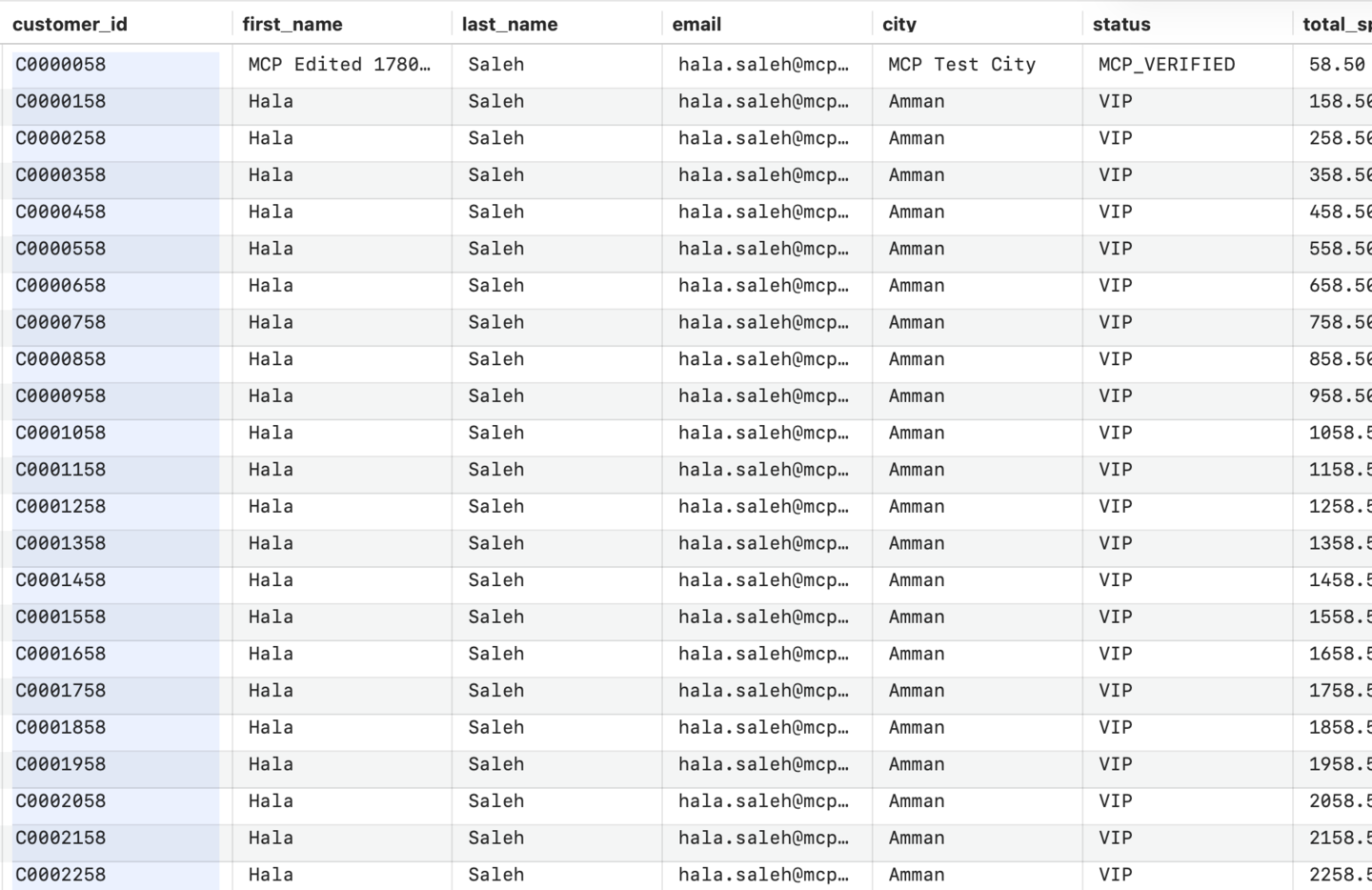
Open the export, scan rows, search visible cells, and edit records directly in the workbook.
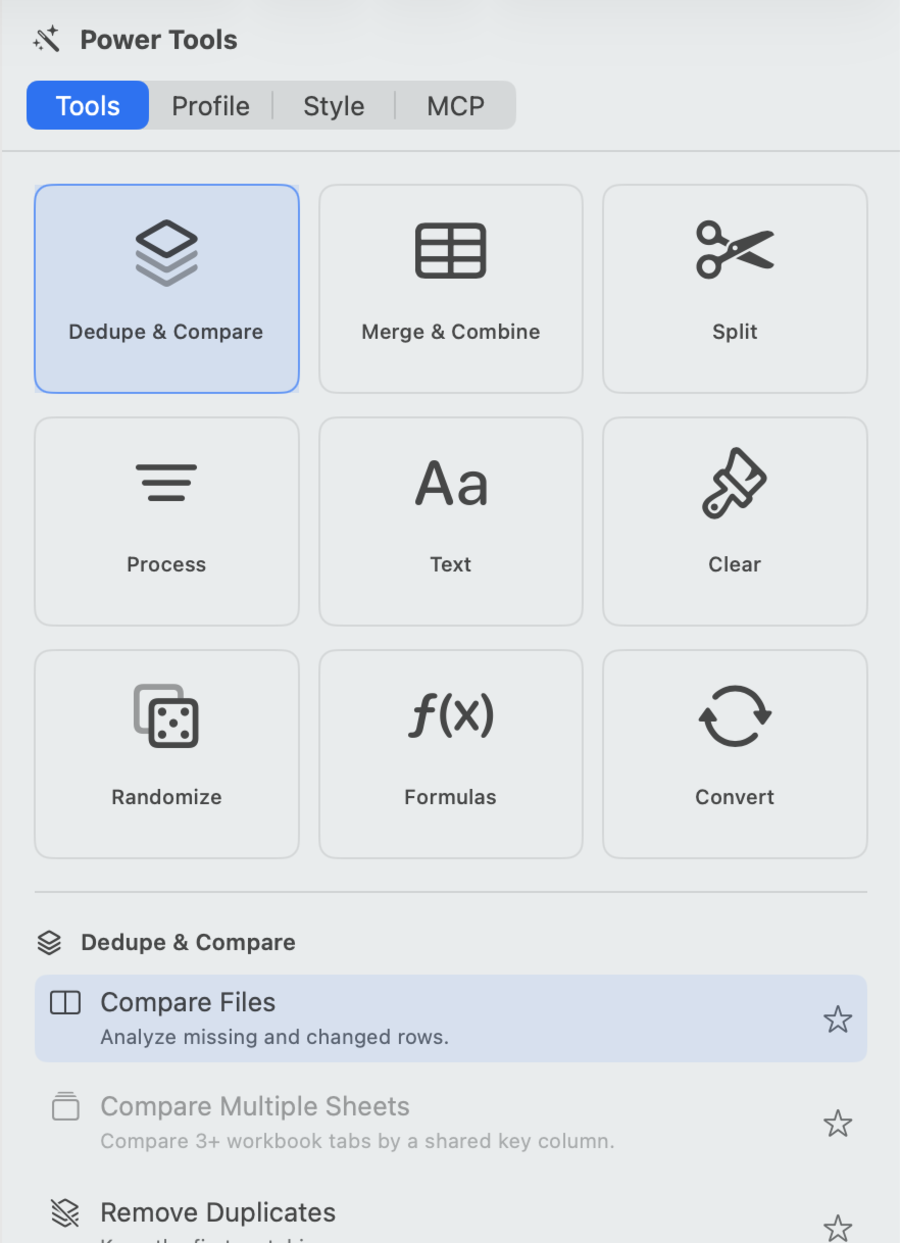
Dedupe, merge, split, process, clean text, clear, randomize, formula, and convert tools stay one panel away.

Use sheet tabs, selected-cell edits, filter chips, and MCP status feedback without leaving the file.
CSV files often contain customer emails, financial rows, inventory, supplier lists, and internal reports. CSV Power Editor processes files locally on the Mac instead of sending them to a web cleaner.
SQLite-backed path
Verified with a 75K-row sample and built with a practical large-file path.
No cloud workspace
No account is required to open, clean, compare, filter, or export local files.
Preview: Trim Spaces
Before applyThe embedded MCP server exposes 21 tools across read-only, non-destructive UI, and gated destructive tiers. It is loopback-only, bearer-token protected, and writes an append-only audit log.
{
  "server": "csv-power-editor",
  "url": "http://127.0.0.1:55173/mcp",
  "tools": 21,
  "destructiveTools": "default off",
  "auditLog": "mcp-audit.log"
}Launch plan: free download, full trial-style app for 14 days, then small-file free mode or Lifetime Pro.
$0
After the trial, keep editing smaller files with full local workflows for up to 300 rows.
$14.99
One non-consumable purchase unlocks larger files, save/export flows for larger workbooks, and MCP automation.
The app is strongest when the job is opening an export, understanding it, cleaning it, comparing it, filtering it, saving it, and moving on.
Native SwiftUI shell and AppKit-backed table grid.
Transformations show rows and counts before commit.
Result workbooks are made for review and handoff.
MCP automation works on visible app state.
CSV Power Editor is free to download with a 14-day full Pro trial. After the trial, free mode supports files up to 300 rows. Lifetime Pro unlocks larger files and MCP automation for a one-time $14.99 purchase.